


The EZPass Massachusetts system lets drivers pay highway tolls without stopping at booths. MassDOT runs the program under the EZDriveMA name. You open an account, get a free transponder, mount it on your windshield, and tolls get deducted as you drive. You can check your balance, see toll history, add a new car, or pay a bill from your phone or computer. This page covers login steps, account setup, password resets, payment options, transponder types, customer service contacts, and how to dispute a violation.

EZPass Massachusetts Login gives drivers quick and secure access to their MassDOT E-ZPass account. After signing in, users can check their account balance, review toll history, update payment methods, manage vehicles, activate or replace transponders, and download account statements. The online portal makes it easy to manage tolls from any computer, tablet, or smartphone.
EZPass Massachusetts Login Steps
You log in to your EZPass Massachusetts account through the EZDriveMA website. The login works on a phone, tablet, or computer. You need a username and a password. Your username is the email address you used when you opened the account. You picked the password during sign up. The login button sits at the top right of the EZDriveMA homepage. Once you sign in, you land on your account dashboard. From there you can check your balance, view toll history, update your car, or pay a bill.
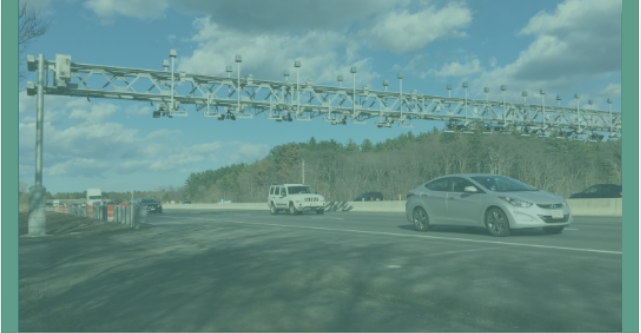
Step 1: Open the EZDriveMA Website
Go to www.mass.gov/ezdrivema in any modern browser. Look for the Log In button at the top right corner of the page. Always check the address bar before you enter your details. The real site starts with mass.gov. Fake sites use names like ezpassma.net or e-zpassma.com. Those are scam pages that try to steal your login and card details.
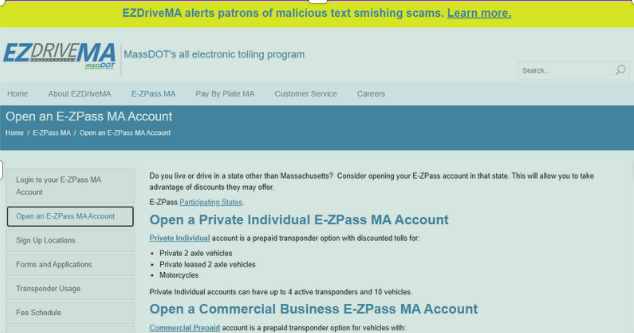
- Open Chrome, Firefox, Safari, or Edge
- Type www.mass.gov/ezdrivema in the address bar
- Check that the address starts with https
- Click the Log In button at the top right
- Do not click links from text messages or emails
Step 2: Enter Your Login Details
On the EZPass Massachusetts login page, type your username in the first box. Type your password in the second box. Passwords are case sensitive. That means capital letters and small letters must match what you set. If you typed your password on your phone when you signed up, use the same capital and small letters now.

Do not check the Remember Me box on a public or shared computer. That option lets the next person sign in without typing a password. After you type your details, click the Log In button. If the details match, you land on your account dashboard. If they do not match, you see an error message and can try again.
- Username is the email tied to your account
- Password must match exactly, including case
- Do not save login on public computers
- Click Log In once your details are typed
- Clear any old error and try again if login fails
Step 3: Use the Mobile App
You can also log in through the EZ Tolls MA app on your phone. The app is not run by MassDOT. It works as a third-party tool that pulls data from your EZDriveMA account. You download it from the Apple App Store or Google Play. Search for “EZ Tolls MA” or “EZPass MA app.” Check the developer name before you install. The official app icon has a blue background.
After you install the app, open it and type the same username and password you use on the website. The app shows your balance, toll history, and recent charges. You can also pay a violation or update your payment method from the app. The app crashes on some phones, so the website is the safer choice for key tasks.
- Download from the App Store or Google Play
- Search for “EZ Tolls MA”
- Use the same login as the EZDriveMA website
- Allow notifications for low balance alerts
- Use the website for tasks that involve money or account changes
Step 4: Open Your Account Dashboard
Once you log in, you land on the account dashboard. The dashboard shows your current balance, recent tolls, and any unpaid violations. From the dashboard, you can update your car, change your payment method, set up auto refill, or download a statement. The dashboard also links to your transponder status. You see if your transponder is active or needs a swap.
Take a quick tour the first time you log in. Click each menu item so you know where things sit. The menu items include Vehicles, Payments, Statements, Transponders, and Violations. Bookmark www.mass.gov/ezdrivema in your browser. A bookmark saves time the next time you need to log in.
- Check your current balance at the top
- View your last 10 tolls in the activity feed
- Open the Vehicles tab to add or remove a car
- Open Payments to change your card or bank
- Bookmark the site for faster login next time
How to Open an EZPass Massachusetts Account
You open an EZPass Massachusetts account on the EZDriveMA website. The sign up button sits at the top right of the homepage. Click the button and fill in the form. The form asks for your name, address, phone, email, car details, and a payment method. You also pick how many transponders you want. Most people pick one for their main car.
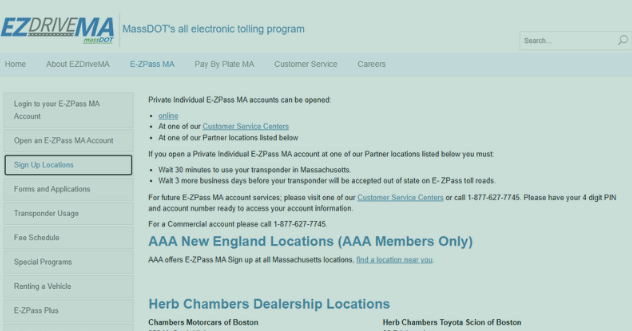
The form takes about 10 minutes. You need your car registration handy so the license plate number is right. You also need a credit card, debit card, or bank account for the opening balance. The opening balance is $20 for a personal account and $50 for a commercial account. Once you submit the form, your account is open. The transponder ships in 5 to 7 business days.
The Sign Up Form
Start at www.mass.gov/ezdrivema. Click Sign Up for E-ZPass MA. The form asks for your full name, home address, email, and phone number. It then asks for car details like make, model, year, and license plate. If you have more than one car, add each one. Pick the number of transponders you want. You can ask for up to four transponders per personal account.
Next, link a payment method. You can use a credit card, debit card, or checking account. The first charge covers the opening balance. The same card or account pays future tolls. After you submit, you get an email with your account number. Save that email. You need the account number to activate the transponder when it arrives.
- Name, address, email, and phone
- Car make, model, year, and license plate
- Number of transponders (1 to 4)
- Credit card, debit card, or bank account
- Opening balance of $20 personal or $50 commercial
Required Details for Sign Up
You must give correct details during sign up. A wrong license plate can delay your transponder. A wrong email means you miss account notices. Gather your car registration, a recent utility bill for your address, and your card before you start the form. For commercial accounts, you also need the business name, tax ID, and the number of axles on each vehicle.
You do not need to live in Massachusetts to open an account. Many people from New Hampshire, New York, and Rhode Island open accounts to save on tolls when they drive through Boston. There is no residency check. The system accepts any U.S. address. Out of state users get the same low toll rates as Massachusetts drivers.
- Car registration for license plate details
- Utility bill or lease for address proof
- Card or bank account for opening balance
- Business name and tax ID for commercial accounts
- Number of axles per vehicle for commercial accounts
Activate Your Transponder
When your transponder arrives, mount it on the windshield behind the rearview mirror. The mount area has a clear strip. Do not put the transponder on the tint strip at the top. Log in to EZDriveMA and click Transponders. Click Activate New Transponder. Type the transponder number printed on the device. Confirm the license plate. Click Submit.
Drive through an E-ZPass lane within a week. The sensor reads your transponder. The toll gets posted to your account. Check the dashboard to confirm the toll posted. If no toll shows up, the transponder may be in the wrong spot. Move it and try a different lane.
- Mount behind the rearview mirror on the clear strip
- Log in to EZDriveMA
- Click Transponders then Activate New
- Type the transponder number from the device
- Drive through an E-ZPass lane within 7 days
How to Apply for an EZPass Massachusetts Transponder
You apply for an EZPass Massachusetts transponder during account sign up. The form asks how many transponders you want. You can apply for up to four. There is no fee for the first transponder on a new account. Replacement transponders cost between $10 and $20 if yours is lost or damaged.
You can also apply at a customer service center if you need a transponder that day. Walk in to the Auburn center or the Logan Airport center. Bring your ID, your car registration, and a payment method. You get the transponder on the spot and it works right away.
Online Application
The fastest way to apply is online. Go to www.mass.gov/ezdrivema. Click Sign Up for E-ZPass MA. Fill in the form. Pick the number of transponders at the end. Add a payment method. Submit the form. Your transponder ships to your home in 5 to 7 business days. A confirmation email arrives right after you submit.
Save the confirmation email. It has your account number. You need the account number to activate the transponder once it arrives. The activation happens online. You do not have to call or visit a center.
- Go to www.mass.gov/ezdrivema
- Click Sign Up for E-ZPass MA
- Pick the number of transponders
- Submit the form
- Wait 5 to 7 business days for shipping
In Person Application
Visit an EZDriveMA customer service center to get a transponder right away. The main center is in Auburn at 27 Midstate Drive. A second center sits inside Logan Airport Terminal A. Both centers are open Monday through Friday from 8:30 a.m. to 4:30 p.m. Bring your driver’s license, your car registration, and a payment method.
You fill out a short form at the desk. The staff sets up your account in the system. They hand you a transponder that is already active. You mount it on your windshield in the parking lot. Drive through an E-ZPass lane before you leave the area to test it.
- Auburn center at 27 Midstate Drive
- Logan Airport Terminal A center
- Hours: 8:30 a.m. to 4:30 p.m. weekdays
- Bring ID, registration, and payment method
- Transponder is active on the spot
Mail In Application
You can also apply by mail. Download the sign up form from www.mass.gov/ezdrivema. Print it. Fill it out. Mail it with a check for the opening balance to 27 Midstate Drive, Auburn, MA 01501. The processing time is 10 to 14 business days. The transponder ships after the check clears.
Mail in applications work for people who cannot go online or visit a center. They take longer than online or in person. The check must clear before the transponder ships. You can speed things up by emailing the form and paying with a card over the phone.
- Download form from EZDriveMA
- Print and fill it out
- Mail with check for $20 personal or $50 commercial
- Mail to 27 Midstate Drive, Auburn, MA 01501
- Wait 10 to 14 business days for processing
How to Reset Your Massachusetts EZPass Password
You can reset your EZPass Massachusetts password on the EZDriveMA website. Click Forgot Password on the login page. Type the email tied to your account. You get a reset link in your inbox. Click the link. Type a new password. Save it.
The reset link expires after a short time. Use the link right away. If the link expires, you can ask for a new one. The new password must be 8 to 16 characters long. It must have at least one capital letter, one small letter, and one number. Special marks like $ or ! do not work.
Use the Forgot Password Tool
Go to www.mass.gov/ezdrivema. Click Log In. Click the Forgot Password link under the password box. Type the email you used to open the account. Click Submit. You get an email from EZDriveMA with a reset link. The email can take a few minutes to arrive. Check your spam folder if you do not see it.
Click the reset link in the email. A new page opens where you type a new password. Type it twice to confirm. Click Save. You land on the login page. Type your username and the new password. You are back in your account.
- Click Log In on EZDriveMA
- Click Forgot Password
- Type your account email
- Open the reset email and click the link
- Type and save a new password
Answer Security Questions
If the reset email does not arrive, you can answer your security questions. You set up these questions when you opened your account. The questions ask things like your mother’s maiden name or the name of your first pet. Type the answers exactly as you typed them during sign up. Capital and small letters must match.
After you answer the questions, the system lets you set a new password. If you forgot the answers too, call customer service at (877) 627-7745. The team verifies your identity using your name, address, and license plate number. They reset the password for you over the phone.
- Click Forgot Password then Answer Security Questions
- Type the answers exactly as you set them up
- Match capital and small letters
- Set a new password after you pass the check
- Call (877) 627-7745 if answers do not match
Call Customer Service
Call customer service at (877) 627-7745 if you cannot reset your password online. The line is open 24 hours a day, 7 days a week. Have your account number or license plate number ready. The agent asks a few questions to confirm your identity. They reset the password and email you a new one.
The wait time can be long during rush hours. Try calling early in the morning or late at night for a shorter wait. You can also email support and ask for a callback. Emails get answered within 24 to 48 hours.
- Call (877) 627-7745
- Have account number or plate number ready
- Pass the identity check
- Get a new password by email
- Try early morning or late night for shorter wait
EZPass Massachusetts Account Requirements
You need a few things to open an EZPass Massachusetts account. You need to be at least 18 years old. You need a valid U.S. address. You need a credit card, debit card, or U.S. bank account. You need $20 for a personal account or $50 for a commercial account. You do not need to live in Massachusetts.
You also need a car with a license plate if you want to add it to the account. If you only plan to use the account for rental cars, you can skip the plate step during sign up. You can add plates later from the dashboard.
Who Can Open an Account
Anyone in the U.S. can open an EZPass Massachusetts account. The system does not check residency. You can live in Boston or Buffalo. You can live in California or Florida. You get the same toll rates as Massachusetts drivers. The only difference is that you may not get the local resident discount on the Tobin Bridge.
Commercial drivers can open an account for a fleet. A fleet account lets you add many trucks, vans, and cars. Each vehicle gets its own transponder. The opening balance is $50 per transponder for commercial accounts.
- Must be 18 or older
- Valid U.S. address required
- Credit card, debit card, or U.S. bank account
- $20 personal or $50 commercial opening balance
- U.S. residency not required
Documents and Information Needed
Gather these before you start the sign up form. You need your full name, home address, phone number, and email. You need the make, model, year, and license plate of each car you want to add. You need the name on your card or bank account. You need the card number or bank routing and account number.
For commercial accounts, you also need the business name, federal tax ID, and the number of axles on each vehicle. The number of axles affects the toll rate. A 2 axle car pays less than a 5 axle truck.
- Full name and home address
- Phone number and email
- Car make, model, year, and license plate
- Card or bank details
- Business name and tax ID for commercial accounts
- Axle count for commercial accounts
Types of Accounts
There are two main account types. A personal account is for passenger cars, SUVs, pickup trucks, and motorcycles with two axles. The opening balance is $20. A commercial account is for vehicles with three or more axles, like delivery trucks, buses, and tractor trailers. The opening balance is $50 per transponder.
You can switch a personal account to a commercial account later if you get a new vehicle. Call customer service at (877) 627-7745 to make the switch. The team updates your account type and helps you get new transponders if needed.
- Personal account for cars, SUVs, motorcycles (2 axles)
- $20 opening balance for personal
- Commercial account for trucks and buses (3+ axles)
- $50 opening balance per transponder for commercial
- Switch account type by calling (877) 627-7745
How to Secure Your Massachusetts EZPass Account
You protect your EZPass Massachusetts account with a strong password and safe habits. The password must be 8 to 16 characters. It must have a capital letter, a small letter, and a number. Do not use your name, birthday, or license plate in the password. Pick a phrase you can remember but others cannot guess.
Log out of your account when you finish, especially on shared computers. Do not save your password on a public computer. Clear the browser cache after you log out. Check your account history once a week for charges you do not recognize.
Build a Strong Password
A strong password is the first wall against hackers. Pick 8 to 16 characters. Mix capital letters, small letters, and numbers. For example, TOLLbridge42MA works well. The word TOLL is in caps, bridge is in small letters, 42 is a number, and MA ties it to the account.
Do not reuse passwords from other sites. If a hacker breaks into another site and gets your password, they will try it on EZDriveMA. Use a different password for each site. A password manager app like 1Password or Bitwarden can store passwords for you. You only need to remember one master password.
- 8 to 16 characters long
- Mix of capital, small letters, and numbers
- No special marks like $ or !
- Do not reuse from other sites
- Use a password manager app
Log Out After Each Session
Always log out when you finish on EZDriveMA. The Log Out button sits at the top right of the dashboard. Click it before you close the browser. On a public computer, also clear the browser cache and cookies. On a home computer, you can let the browser remember you if the computer is in a safe place.
Do not check the Remember Me box on a public or shared computer. That option saves your username so the next person does not have to type it. If you forget to log out, someone else could see your account. Log out is a small step that blocks big problems.
- Click Log Out at the top right of the dashboard
- Do not use Remember Me on public computers
- Clear cache and cookies on shared devices
- Use private browsing mode on hotel or library computers
- Check active sessions in security settings
Turn On Alerts and Monitoring
Sign up for email or text alerts in your account settings. Low balance alerts warn you when your balance drops below $10. Toll alerts show each toll as it posts. Suspicious login alerts tell you if someone signs in from a new device. The alerts are free and help you spot problems fast.
Check your account history once a week. Look for tolls you did not make or charges you do not recognize. If you see a problem, change your password and call customer service at (877) 627-7745 right away.
- Low balance alerts when balance drops below $10
- Toll alerts for each posted toll
- Suspicious login alerts for new devices
- Check account history once a week
- Call (877) 627-7745 for any suspicious charge
Troubleshooting EZPass Massachusetts Login Issues
Login problems have a few common causes. You forgot your username. You forgot your password. Your account got locked from too many tries. Your browser is out of date. Your internet went down. The server is under maintenance. Each problem has a fix.
Try the simple fixes first. Refresh the page. Clear the browser cache. Try a different browser. Try a different device. If those do not work, use the Forgot Password tool or call customer service.
Forgot Username
Your username is the email tied to your account. If you forgot it, click Forgot Username on the login page. Type the phone number or email you think is on the account. The system sends your username by text or email. If neither works, call customer service at (877) 627-7745. The agent looks up your username using your name and license plate.
Once you have your username, save it in a password manager. You will not have to look it up next time.
- Click Forgot Username on the login page
- Type your phone or email
- Get your username by text or email
- Call (877) 627-7745 if neither works
- Save the username in a password manager
Account Locked
Too many failed login tries locks your account. The lock lasts about 24 hours. After that, you can try again. To skip the wait, click Forgot Password and set a new password. The new password unlocks your account right away.
If you cannot reset your password, call (877) 627-7745. The agent verifies your identity and unlocks your account. Have your name, address, and license plate number ready.
- Wait 24 hours after too many failed tries
- Reset password to unlock faster
- Call (877) 627-7745 for help
- Have your name, address, and plate ready
- Avoid repeat tries to prevent more locks
Browser Problems
An old browser can stop the login page from loading. EZDriveMA works best on the latest version of Chrome, Firefox, Safari, or Edge. Internet Explorer does not work. Update your browser if you see a blank page or error messages.
Clear the browser cache and cookies if the page still fails. The cache stores old files that can break new pages. Go to the browser settings, find Privacy or History, and clear the cache and cookies. Restart the browser. Try logging in again.
- Use Chrome, Firefox, Safari, or Edge (latest version)
- Avoid Internet Explorer
- Update your browser to the latest version
- Clear cache and cookies in browser settings
- Restart the browser and try again
Session Expired
Your session ends if you sit idle for 15 to 20 minutes. The system logs you out to protect your account. You see a message that says session expired. Log in again with your username and password.
Save your work often if you are updating your account. Finish tasks within 15 minutes to avoid the timeout. You can also keep the browser tab active by clicking around once in a while.
- Sessions end after 15 to 20 minutes of no activity
- Log in again with your username and password
- Save work often during account updates
- Click around to keep the session active
- Finish tasks within 15 minutes
Internet Problems
A weak internet connection can stop the login page from loading. Test your connection by opening another website. If the other site loads, your internet works. If nothing loads, restart your router or switch to mobile data.
Public Wi-Fi can be slow or block certain sites. Switch to your phone’s hotspot if public Wi-Fi does not work. A VPN can also block the login page. Turn off the VPN before you log in.
- Test internet by opening another site
- Restart your router if connection is weak
- Switch to mobile data or phone hotspot
- Turn off VPN before logging in
- Try a different network if problems persist
Server Downtime
MassDOT takes the EZDriveMA server down for maintenance at times. You see an error message that says Service Unavailable or 503. The server is back up within a few hours. Try again later.
Check the MassDOT Twitter or Facebook page for outage notices. You can also call (877) 627-7745 to ask if the server is down. The team confirms outages and gives an estimate of when service will return.
- Look for Service Unavailable or 503 error
- Try again in a few hours
- Check MassDOT social media for outage notices
- Call (877) 627-7745 to confirm outage
- Wait for the team to bring the server back
Benefits of Using Massachusetts EZPass
EZPass Massachusetts saves time and money. You skip the cash lanes. You pay lower toll rates than drivers who use Pay By Plate. You can use one transponder in 19 states. You can manage your account from your phone. You get discounts in some areas.
The transponder is free for new accounts. There is no monthly fee. There is no inactivity fee. You can use the same account for rental cars or guest drivers. The system has been running since 1998 and covers all Massachusetts toll roads.
Time and Money Savings
You save time because you do not stop at toll booths. The sensor reads your transponder as you drive. The toll gets deducted from your balance. You can drive the speed limit through the toll zone. Drivers who pay cash must slow down and stop.
You save money because E-ZPass rates are lower than Pay By Plate rates. On the Massachusetts Turnpike, a full length trip costs $7.40 with E-ZPass. The same trip costs $14.00 with Pay By Plate. That is $6.60 saved on one trip. Over a year of daily driving, the savings add up fast.
- Skip the cash lanes
- Drive at speed limit through toll zones
- Save 25% to 50% versus Pay By Plate
- Save $6.60 on a full Mass Pike trip
- Save hundreds of dollars per year with daily driving
Cashless Tolling
Massachusetts switched to cashless tolling in 2016. There are no cash booths. You either use E-ZPass or the system takes a picture of your license plate. Pay By Plate drivers get a bill in the mail 7 to 10 days later. The bill has a $0.60 fee plus the toll.
Cashless tolling is faster and safer. There are no backups at toll booths. There is no risk of an accident while you fumble for change. The system works in rain, snow, and dark. You just drive.
- No cash booths since 2016
- E-ZPass reads the transponder
- Pay By Plate takes a license plate photo
- Bills arrive 7 to 10 days later for Pay By Plate
- Pay By Plate bills have a $0.60 fee
Works in 19 States
Your Massachusetts E-ZPass works in 19 states. The states are Maine, New Hampshire, Vermont, New York, New Jersey, Pennsylvania, Delaware, Maryland, Virginia, West Virginia, North Carolina, Ohio, Indiana, Illinois, Kentucky, Florida, Rhode Island, and Massachusetts. You use the same transponder and the same account.
If you drive from Boston to New York, your Massachusetts E-ZPass reads the sensors in New York. The toll gets posted to your Massachusetts account. You do not need a second account. You do not need a second transponder.
- Works in 19 states with one transponder
- Same account for all tolls
- No need for a second account
- Reads sensors in all member states
- Covers the entire East Coast and parts of the Midwest
Functionalities of the Massachusetts EZPass System
The Massachusetts E-ZPass system lets you manage every part of your account online. You check your balance. You see your toll history. You add or remove cars. You update your payment method. You pay violations. You download statements for tax or business records.
The system also handles automatic refill. You set a low balance trigger. When your balance drops below the trigger, the system charges your card and adds funds. You never run out of money for tolls.
Account Management Tools
The account dashboard has tools for every task. The Vehicles tab lets you add or remove cars. You type the license plate, make, model, and year. You can add up to four cars on a personal account. The Transponders tab shows the status of each transponder. You see if it is active, lost, or damaged.
The Payments tab lets you change your card or bank account. You can also set the auto refill trigger and amount. The Statements tab lets you download monthly statements in PDF form. The Violations tab shows any unpaid tolls. You pay them online from the same tab.
- Vehicles tab to add or remove cars
- Transponders tab to check status
- Payments tab to update card or bank
- Statements tab for monthly PDF downloads
- Violations tab to view and pay unpaid tolls
Transponder Use and Toll Collection
The transponder talks to overhead sensors at every toll point. The sensor reads the transponder number and matches it to your account. The toll amount gets deducted from your balance. The whole process takes less than a second. You do not have to slow down.
The transponder needs a clear line of sight to the sensor. Mount it behind the rearview mirror on the clear strip. Do not put it on the tint strip at the top. Do not put it on the dashboard. The wrong spot can cause the sensor to miss the transponder. A missed read can lead to a Pay By Plate charge.
- Sensor reads transponder at every toll point
- Toll deducted from your balance
- Process takes less than a second
- Mount on clear strip behind rearview mirror
- Avoid tint strip and dashboard mounting
Payment and Refill Options
You pay for tolls from your account balance. When the balance drops, you add more money. You can add money by hand or set up auto refill. Auto refill is the easiest. You pick a trigger amount like $10. When your balance drops to $10, the system charges your card and adds $20 (personal) or $50 (commercial) to your balance.
You can change the trigger and the refill amount any time. You can also turn off auto refill and add money by hand. Hand payments work through the website, the app, by phone, or at a customer service center.
- Auto refill when balance drops to $10
- Default refill is $20 personal or $50 commercial
- Change trigger and amount any time
- Hand payments through website, app, phone, or center
- Card or bank account for all payments
Massachusetts EZPass Mobile App
The EZ Tolls MA app lets you manage your account from your phone. You check your balance, see recent tolls, and pay violations. The app is not run by MassDOT. It works as a third-party tool that pulls data from your EZDriveMA account.
Use the website for key tasks like updating payment methods or activating transponders. The app is best for quick checks on the go. Always confirm important changes on the website after you make them in the app.
Download the App
Open the Apple App Store on iPhone or Google Play on Android. Search for “EZ Tolls MA.” Look for the app with a blue icon. Check the developer name before you install. Avoid apps with similar names that are not the official one.
The app is free to download. There are no in-app purchases. You do not have to pay to use the basic features. Some features like downloading statements may require a small fee.
- Search for “EZ Tolls MA” in App Store or Google Play
- Look for the blue icon
- Check the developer name
- Download for free
- No in-app purchases for basic features
Set Up the App
Open the app after it installs. Type your EZDriveMA username and password. The same login you use on the website. The app connects to your account and pulls your balance and toll history. Allow notifications when the app asks. The notifications tell you when a toll posts or when your balance gets low.
Test the app by checking your balance. The number should match the dashboard on the website. If it does not match, log out and log in again. If the app crashes, try uninstalling and reinstalling it.
- Open the app after install
- Type your EZDriveMA username and password
- Allow notifications for toll and balance alerts
- Check that the balance matches the website
- Log out and back in if numbers do not match
Manage Account in the App
The app shows your current balance, last 10 tolls, and unpaid violations. You can pay a violation from the app. You can update your card number. You can add a new car to your account. The app also has a button to call customer service at (877) 627-7745.
The app is not perfect. It can crash on some phones. It can show wrong data if the connection drops. Use the website for key tasks like updating payment methods or activating transponders. The app is best for quick checks on the go.
- View balance, last 10 tolls, and unpaid violations
- Pay violations from the app
- Update card number
- Add a new car to your account
- Use the website for key tasks
EZPass Massachusetts Customer Service
The EZPass Massachusetts customer service team helps with all account issues. You can call, email, chat online, or visit in person. The phone line is open 24 hours a day, 7 days a week. Email and chat are open during business hours.
Before you call, have your account number or license plate number ready. The agent uses that to look up your account. They verify your identity with your name, address, and date of birth.
Phone Support
Call (877) 627-7745 for help. The line is open 24/7. You can call any time of day or night. Wait times are shortest early in the morning and late at night. Mid day and early evening have the longest waits.
The agent can reset your password, look up your username, add a car, change your payment method, or process a violation dispute. They can also mail you a new transponder if yours is lost or damaged.
- Call (877) 627-7745 any time
- Open 24/7, no holidays off
- Shortest waits early morning and late night
- Agent can handle password, account, and violation tasks
- Have account or plate number ready
Email Support
Send an email to the support team for non urgent issues. Type your question and include your account number or license plate number. You get a reply within 24 to 48 hours. The reply may take longer during holidays and severe weather.
Email works for questions about statements, account history, or general rules. Email does not work for password resets or account lockouts. Use the phone for those tasks.
- Email for non urgent questions
- Include account or plate number
- Reply within 24 to 48 hours
- Use for statements, history, or general rules
- Use phone for password or lockout issues
Online Chat
Use the live chat on www.mass.gov/ezdrivema during business hours. Click the chat button at the bottom right of the homepage. A support agent joins the chat in a few minutes. You type your question and they type a reply.
Chat works for quick questions about your balance, recent tolls, or how to update your account. Chat does not work for complex issues like violation disputes. Use the phone for complex issues.
- Click chat button at bottom right of EZDriveMA
- Open during business hours
- Agent joins in a few minutes
- Use for quick balance and toll questions
- Use phone for complex issues
In Person Support
Visit the Auburn customer service center at 27 Midstate Drive. The center is open Monday through Friday from 8:30 a.m. to 4:30 p.m. Bring your ID, your car registration, and your account number if you have it. The staff helps with all account tasks in person.
You can also visit the Logan Airport center in Terminal A. The Logan center has the same hours. The Logan center is good for travelers who need help before a flight.
- Auburn center at 27 Midstate Drive
- Logan Airport Terminal A center
- Open 8:30 a.m. to 4:30 p.m. weekdays
- Bring ID, registration, and account number
- Staff helps with all account tasks
EZPass Massachusetts Service Center Locations
There are two main EZPass Massachusetts service centers. The main center is in Auburn at 27 Midstate Drive. The second center is at Logan Airport in Terminal A. Both centers help with account setup, transponder pickup, violation payment, and general support.
You can also buy a transponder at AAA offices and some Registry of Motor Vehicles branches. AAA has many locations across the state. The RMV has fewer locations that sell transponders. Call ahead to check if your local RMV has transponders in stock.
Main Service Centers
The Auburn center is the main hub for EZPass Massachusetts. It sits at 27 Midstate Drive, Auburn, MA 01501. The center is easy to reach from the Massachusetts Turnpike. Take exit 10 and follow signs for Midstate Drive. The center has free parking.
The Logan Airport center sits inside Terminal A. It is open to the public, not just travelers. You can park in the airport parking garage and walk to the center. The center is good for people who live near Boston or work at the airport.
- Auburn center at 27 Midstate Drive, Auburn, MA 01501
- Easy to reach from Mass Pike exit 10
- Free parking at the center
- Logan Airport Terminal A center
- Open to public, not just travelers
Retail Locations for Transponders
You can buy an EZPass Massachusetts transponder at AAA offices. AAA Northeast sells transponders at most of its branches. The branches in Framingham, Worcester, Boston, and Springfield have transponders in stock. Call your local AAA to check before you go.
Some RMV branches also sell transponders. The branches in Watertown, Springfield, and Pittsfield have transponders. Not all RMV branches sell them. Call ahead to check. You also need to bring your car registration to buy a transponder at AAA or RMV.
- AAA Northeast branches sell transponders
- Framingham, Worcester, Boston, and Springfield AAA have stock
- Some RMV branches sell transponders
- Watertown, Springfield, and Pittsfield RMV have stock
- Call ahead to check stock before you go
Hours and Services
Both service centers are open Monday through Friday from 8:30 a.m. to 4:30 p.m. The Auburn center is also open on Saturday from 8 a.m. to 12 p.m. The centers are closed on Sundays and MassDOT holidays.
At the center, you can open a new account, pick up a transponder, activate a transponder, add a car to your account, pay a violation, or dispute a toll. The staff helps with any account task that you would normally do online.
- Open Monday to Friday 8:30 a.m. to 4:30 p.m.
- Auburn open Saturday 8 a.m. to 12 p.m.
- Closed Sundays and MassDOT holidays
- Open accounts, pick up transponders, activate devices
- Pay violations and dispute tolls
How to Manage EZPass Massachusetts Payments
You manage EZPass Massachusetts payments through your account. The Payments tab in your dashboard lets you change your card, update your bank account, set up auto refill, or add money by hand. You can also pay a violation from the dashboard.
The easiest way to keep your account funded is auto refill. You set a trigger and amount. The system charges your card and adds funds when your balance drops. You never run out of money for tolls.
Set Up Auto Refill
Log in to EZDriveMA. Click Payments. Click Auto Replenishment Settings. Pick a trigger amount. The default is $10. Pick a refill amount. The default is $20 for personal or $50 for commercial. Link a credit card, debit card, or bank account. Click Save.
The system tests the link with a small charge. You see the charge on your card or bank statement. If the test passes, auto refill is active. Your balance gets topped up each time it drops to the trigger amount.
- Log in to EZDriveMA
- Click Payments then Auto Replenishment Settings
- Set trigger amount (default $10)
- Set refill amount ($20 personal or $50 commercial)
- Link card or bank and click Save
Manual Payments
You can add money by hand any time. Log in to EZDriveMA. Click Payments. Click Add Funds. Type the amount you want to add. Pick a payment method. Click Submit. The funds show up in your balance within minutes.
You can also add money by phone. Call (877) 627-7745. Tell the agent how much you want to add. Give your card number. The agent processes the payment. You get an email confirmation.
- Log in to EZDriveMA
- Click Payments then Add Funds
- Type the amount and pick payment method
- Click Submit
- Or call (877) 627-7745 to pay by phone
Pay a Toll Invoice or Violation
If you got a toll invoice in the mail, you can pay it online. Log in to EZDriveMA. Click Violations. Find the invoice. Click Pay. Type your card number. Click Submit. The payment posts to your account within minutes.
You can also pay a violation by phone, by mail, or in person at a service center. Pay within 30 days to avoid extra fees. After 60 days, the violation goes to collections and can affect your credit score.
- Log in to EZDriveMA
- Click Violations
- Find the invoice and click Pay
- Type card number and click Submit
- Pay within 30 days to avoid extra fees
EZPass Massachusetts Transponder Details
The EZPass Massachusetts transponder is a small device that sticks to your windshield. It is about the size of a credit card. It has an antenna inside that talks to the overhead sensors at toll points. The battery inside the transponder lasts 5 to 10 years.
The transponder is free for new accounts. Replacement transponders cost $10 to $20 if yours is lost or damaged. You can have up to four transponders on a personal account.
Get and Install a Transponder
You get a transponder when you open an account. The transponder ships to your home in 5 to 7 business days. You can also pick one up at a customer service center. Bring your ID, registration, and payment method.
Mount the transponder on the windshield behind the rearview mirror. The mount area is the clear strip about 2 inches below the mirror. Clean the spot with glass cleaner first. Peel the backing off the transponder. Press it firmly against the glass. Hold for 30 seconds.
- Transponder ships 5 to 7 business days after sign up
- Pick up at a customer service center for same day use
- Mount on clear strip behind rearview mirror
- Clean spot with glass cleaner first
- Peel backing and press firmly for 30 seconds
Use One Transponder on Multiple Cars
You can use one transponder on different cars. Log in to EZDriveMA. Click Vehicles. Add the license plate of the new car. The transponder reads on the car that has the matching plate in the system. Move the transponder from one car to the other when you switch.
This works for families that share cars. It does not work for two cars on the road at the same time with the same transponder. The system would charge the wrong plate. If you have two cars that you drive at the same time, get two transponders.
- Log in to EZDriveMA
- Click Vehicles and add the new license plate
- Move the transponder when you switch cars
- Works for families that share cars
- Get two transponders for two cars at the same time
Fix Transponder Issues
If the sensor does not read your transponder, check the mount spot. Move the transponder higher or lower on the windshield. Clean the glass. The tint strip at the top blocks the signal. Make sure the transponder is on the clear strip.
If the transponder still does not read, the battery may be dead. Call (877) 627-7745 to report the issue. The team mails you a free replacement if the battery died within the warranty period. If you lost the transponder, the replacement costs $10 to $20.
- Move transponder to clear strip behind mirror
- Clean glass with glass cleaner
- Avoid tint strip at top of windshield
- Call (877) 627-7745 if battery is dead
- Free replacement under warranty
- $10 to $20 for lost transponder
EZPass Massachusetts Bumper Transponder
The EZPass Massachusetts bumper transponder is an external transponder for motorcycles and vehicles with metal coated windshields. The bumper transponder mounts on the license plate frame or the front bumper. It works the same as a windshield transponder but is built for outdoor use.
The bumper transponder is more expensive than a standard transponder. It costs $20 to $30 depending on the model. You order it through customer service or at a service center.
What Is the Bumper Transponder
The bumper transponder is a weather resistant device that mounts outside the car. It works for motorcycles, convertibles, and cars with metal oxide windshields. The metal in those windshields blocks the signal from a regular transponder. The bumper transponder mounts outside, so the signal reaches the sensor.
The bumper transponder is the same size as a standard transponder but has a hard plastic case. The case protects it from rain, snow, and road salt. The battery lasts 5 years.
- External transponder for outdoor mounting
- For motorcycles, convertibles, metal windshields
- Mounts on license plate frame or front bumper
- Same size as standard transponder
- Hard plastic case for weather protection
- Battery lasts 5 years
Install the Bumper Transponder
Order the bumper transponder by calling (877) 627-7745 or visiting a service center. The staff helps you pick the right model for your vehicle. You get installation instructions with the transponder. For a motorcycle, mount the transponder on the front fork near the license plate. Use the included velcro strips or zip ties. For a car with a metal windshield, mount the transponder on the front bumper near the license plate. Clean the spot first. Peel the backing off the velcro and press the transponder firmly.
- Order by calling (877) 627-7745
- Pick up at a service center
- Mount on motorcycle front fork near plate
- Mount on car bumper near license plate
- Use included velcro strips or zip ties
- Clean spot and press firmly
Bumper Transponder Pros and Cons
The bumper transponder lets motorcycles and metal windshield cars use E-ZPass. The hard case resists weather and road damage. The signal works well because the device sits outside the metal. The downsides are cost ($20 to $30) and the need for precise mounting. A bad mount spot can cause missed reads. Rain and snow can also block the signal in heavy storms. Test the transponder at a toll booth before you rely on it for a long trip.
- Pros: works for motorcycles and metal windshields
- Pros: hard case resists weather and road damage
- Pros: signal works outside the metal
- Cons: costs $20 to $30
- Cons: needs precise mounting
- Cons: rain and snow can block the signal
EZPass Massachusetts for Rental Cars
You can use your EZPass Massachusetts transponder in a rental car. The transponder reads on any car as long as the license plate matches the plate in your account. Add the rental car plate to your account before you pick up the car. Rental car companies charge extra fees if you do not use your own transponder. Enterprise charges up to $4.95 per day for their TollPass service. Hertz charges up to $9.99 per day. Using your own E-ZPass saves those fees.
Add a Rental Car to Your Account
Log in to EZDriveMA before you pick up the rental car. Click Vehicles. Click Add Vehicle. Type the license plate, make, model, and year. The rental car company gives you the plate number when you pick up the car. Add it to your account before you drive.
The update takes effect within minutes. Drive through an E-ZPass lane to test. The toll posts to your account. Remove the plate from your account when you return the rental car.
- Log in to EZDriveMA before picking up rental
- Click Vehicles then Add Vehicle
- Type plate, make, model, and year
- Update takes effect within minutes
- Test with an E-ZPass lane before driving far
- Remove plate when you return the rental
Manage Tolls for Rental Cars
Check your account history during the rental period. Make sure every toll posted to your account. If a toll did not post, the system may have missed the transponder read. You can pay the missed toll through Pay By Plate to avoid extra fees.
When you return the rental car, log in to EZDriveMA. Click Vehicles. Find the rental car plate. Click Remove. The plate gets removed from your account. You stop getting tolls for that car.
- Check account history during the rental period
- Pay missed tolls through Pay By Plate
- Remove the plate when you return the rental
- Open Vehicles then click Remove next to the plate
- Stop getting tolls after removal
Save on Rental Car Tolls
Using your own EZPass saves rental company fees. Enterprise charges $3.95 to $4.95 per day for their TollPass service. A 5 day rental can cost $25 in TollPass fees. Using your own E-ZPass costs nothing extra.
Some rental companies charge $0.25 to $0.50 per toll for using their system. A road trip with 20 tolls can cost $10 in admin fees. Using your own E-ZPass has no admin fees. You only pay the toll amount.
- Saves $25 on a 5 day Enterprise rental
- Saves $10 in admin fees on 20 tolls
- No extra fees when using your own E-ZPass
- Pay only the toll amount
- No admin fees for using your own transponder
EZPass Massachusetts for Special Cases
EZPass Massachusetts covers special vehicles like motorcycles, commercial trucks, and out of state cars. Each type has its own rules for transponders, toll rates, and account setup. The system is built to handle all kinds of vehicles. Motorcycles use bumper transponders. Commercial trucks with 3 or more axles pay higher tolls. Out of state drivers can open Massachusetts accounts to save money on Boston tolls.
Motorcycles and Commercial Vehicles
Motorcycles need a bumper transponder. A standard windshield transponder does not work on most motorcycles because there is no good mounting spot. Order the bumper transponder by calling (877) 627-7745. Mount it on the front fork near the license plate. Commercial trucks with 3 or more axles need a commercial account. The opening balance is $50 per transponder. The toll rate is higher than for passenger cars. A 5 axle truck pays $14.80 on the Mass Pike. A 2 axle car pays $7.40.
- Motorcycles need bumper transponder
- Order by calling (877) 627-7745
- Mount on front fork near license plate
- Commercial trucks need commercial account
- $50 opening balance per commercial transponder
- Higher toll rate for trucks with 3 or more axles
Out of State Compatibility
Out of state E-ZPass works in Massachusetts. If you have a New York E-ZPass, it reads the sensors in Massachusetts. The toll posts to your New York account. You do not need a Massachusetts account to drive in Massachusetts. You get the same toll rate as Massachusetts drivers. You do not get the local resident discount on the Tobin Bridge. That discount is only for Massachusetts residents who live in Charlestown, Chelsea, or East Boston.
- Out of state E-ZPass works in Massachusetts
- Toll posts to home state account
- No Massachusetts account needed
- Same toll rate as Massachusetts drivers
- No local resident discount for out of state
Temporary and New Vehicles
You can add a new car to your account any time. Log in to EZDriveMA. Click Vehicles. Click Add Vehicle. Type the plate, make, model, and year. The new car gets added within minutes. Drive through an E-ZPass lane to test. You can also add temporary cars. A temporary car is a rental, loaner, or borrowed car. Add the plate with a start and end date. The system removes the plate after the end date. You do not have to log in again to clean up.
- Log in to EZDriveMA
- Click Vehicles then Add Vehicle
- Type plate, make, model, and year
- Add temporary cars with start and end dates
- System removes plate after end date
EZPass Massachusetts vs Other Toll Systems
EZPass Massachusetts is one of several toll systems in the U.S. Other systems include SunPass in Florida, E-Pass in Orlando, and EZ TAG in Texas. Each system has its own transponder, rates, and rules. EZPass works in more states than any other system. The biggest difference is coverage. EZPass works in 19 states. SunPass works mainly in Florida. E-Pass works in Orlando and some E-ZPass states. EZ TAG works in Texas and some E-ZPass states. If you travel a lot, EZPass is the most useful.
Side by Side Comparison
| Feature | EZPass Massachusetts | SunPass | E-Pass | EZ TAG |
|---|---|---|---|---|
| Coverage | 19 states | Florida, Georgia, North Carolina | Orlando and 19 E-ZPass states | Texas and 19 E-ZPass states |
| Transponder Cost | Free for new accounts | $4.95 to $14.95 | Free with account | $15 to $20 |
| Monthly Fee | None | None | None | None if active |
| Opening Balance | $20 personal, $50 commercial | $10 to $25 | $20 | $20 |
| Works in E-ZPass States | Yes | Only with SunPass PRO | Yes | Yes |
| Discounts for Residents | Yes on Tobin Bridge | Yes in Florida | Yes on Orlando toll roads | Yes in Houston |
Best Choice for Most Drivers
EZPass Massachusetts is the best choice for drivers in the Northeast. The free transponder, no monthly fee, and 19 state coverage make it hard to beat. You save money on tolls from Maine to Florida. If you live in Florida, SunPass may be a better fit because it covers more Florida toll roads at lower rates. If you live in Texas, EZ TAG covers more Texas toll roads. But for Northeast drivers, EZPass is the clear winner.
- Best choice for Northeast drivers
- Free transponder and no monthly fee
- 19 state coverage
- Saves money on tolls from Maine to Florida
- SunPass better for Florida residents
- EZ TAG better for Texas residents
EZPass Massachusetts Fees and Costs
EZPass Massachusetts has low fees. The transponder is free for new accounts. There is no monthly fee. There is no inactivity fee. You only pay the tolls and the opening balance. Replacement transponders cost $10 to $20 if you lose or damage yours. Pay By Plate invoices have a $0.60 fee. Late payments add $1 to $20 in fees. Disputed charges have no fee.
Account Setup Costs
Opening an account is free. You pay the opening balance when you sign up. The opening balance is $20 for personal accounts and $50 for commercial accounts. The balance becomes your toll fund. You add more money when the balance drops.
There is no fee to add a car, change your address, or update your payment method. You can do all those tasks for free on the EZDriveMA website.
- Account setup is free
- $20 opening balance for personal
- $50 opening balance for commercial
- No fee to add or remove cars
- No fee to update payment method
Transponder Costs
The first transponder is free for new accounts. You get it in the mail or at a service center. Replacement transponders cost $10 to $20. The exact cost depends on the model. Standard transponders cost $10. Bumper transponders cost $20 to $30.
Free replacements are given if the transponder fails within the warranty period. The warranty is 5 years for standard transponders and 3 years for bumper transponders.
- First transponder is free
- $10 to $20 for replacement
- $20 to $30 for bumper transponder
- Free replacement under warranty
- 5 year warranty for standard
- 3 year warranty for bumper
Ways to Avoid Extra Fees
Set up auto refill to avoid a $0.60 Pay By Plate fee. When your balance is low, the system charges your card and adds funds. You never get a Pay By Plate invoice. Pay violations within 30 days to avoid late fees. Late fees start at $1 and go up to $20. After 60 days, the violation goes to collections and can affect your credit score.
- Set up auto refill to avoid Pay By Plate fees
- Pay violations within 30 days
- Late fees start at $1 and go up to $20
- After 60 days, violations go to collections
- Keep your balance above $10 to avoid problems
EZPass Massachusetts Toll Rates and Discounts
EZPass Massachusetts toll rates are lower than Pay By Plate rates. The savings range from 25% to 50% depending on the toll facility. A full length trip on the Mass Pike costs $7.40 with E-ZPass and $14.00 with Pay By Plate. That is $6.60 saved on one trip. Local residents get extra discounts on some tolls. Charlestown, Chelsea, East Boston, South Boston, and North End residents pay less on the Tobin Bridge and the Boston tunnels.
Massachusetts Toll Rates
The Massachusetts toll system covers the Mass Pike (I-90), Tobin Bridge, Sumner Tunnel, Callahan Tunnel, Ted Williams Tunnel, and Route 1. Each toll facility has its own rate for E-ZPass and Pay By Plate.
On the Mass Pike, tolls range from $0.40 to $7.40 depending on the distance. A full trip from the New York border to Boston costs $7.40 with E-ZPass. The Tobin Bridge costs $1.25 with E-ZPass and $1.85 with Pay By Plate. The Boston tunnels cost $1.50 with E-ZPass and $2.05 with Pay By Plate.
- Mass Pike tolls range from $0.40 to $7.40
- Tobin Bridge costs $1.25 with E-ZPass
- Boston tunnels cost $1.50 with E-ZPass
- Pay By Plate costs more on every toll
- Save 25% to 50% with E-ZPass
Resident and Commuter Discounts
Local residents get discounts on the Tobin Bridge and Boston tunnels. To qualify, you must live in Charlestown, Chelsea, East Boston, South Boston, or North End. You also need a special transponder. Apply for the discount at a service center. Bring proof of address like a utility bill or lease. The Tobin Bridge resident discount saves $0.30 to $0.95 per trip. A daily commuter saves $9 to $28 per month. The Boston tunnel discount saves $0.20 to $0.55 per trip. A daily commuter saves $6 to $17 per month.
- Local residents get Tobin Bridge discount
- Local residents get Boston tunnel discount
- Must live in Charlestown, Chelsea, East Boston, South Boston, or North End
- Need special transponder and proof of address
- Save $9 to $28 per month on Tobin Bridge
- Save $6 to $17 per month on Boston tunnels
Use the Toll Calculator
The EZDriveMA website has a toll calculator. Type your start point and end point. Pick the vehicle type. The calculator shows the total toll with E-ZPass and with Pay By Plate. You see the savings before you drive. You can also use third party toll calculators like TollGuru. The TollGuru app shows tolls for trips across multiple states. It is useful for road trips that go through several E-ZPass states.
- EZDriveMA has a toll calculator
- Type start and end points
- See E-ZPass and Pay By Plate totals
- See savings before you drive
- TollGuru app works for multi state trips
EZPass Massachusetts Toll Violations Explained
A toll violation happens when you drive through a toll point without paying. The system takes a picture of your license plate. MassDOT mails you an invoice 7 to 10 days later. The invoice has the toll amount plus a $0.60 fee. If you do not pay the invoice within 30 days, the fee goes up. After 60 days, the violation goes to collections. After 90 days, the RMV can put a hold on your car registration.
Causes of Violations
The most common cause is a low account balance. If your balance drops below the toll amount, the system cannot deduct the toll. The system takes a picture of your plate and mails you an invoice. Other causes include unregistered vehicles, transponder problems, and account issues. An unregistered vehicle is a car that is not in your account. A transponder problem happens when the sensor cannot read the device. An account issue happens when your card expires or your account gets locked.
- Low account balance is the most common cause
- Unregistered vehicle is the second cause
- Transponder problems cause missed reads
- Account issues include expired cards
- System errors are rare but possible
Pay or Resolve a Violation
Pay the invoice online at EZDriveMA. Log in to your account. Click Violations. Find the invoice. Click Pay. Type yourcard number. Click Submit. The payment posts within minutes. You can also pay by phone. Call (877) 627-7745. Tell the agent the invoice number. Pay with your card. The payment posts within minutes. You can also pay by mail or in person at a service center.
- Pay online at EZDriveMA
- Log in and click Violations
- Pay by phone at (877) 627-7745
- Pay by mail or in person
- Pay within 30 days to avoid extra fees
How to Dispute an EZPass Massachusetts Violation
You can dispute a violation if you think it was wrong. reasons to dispute include a valid transponder that did not read, a Pay By Plate charge when you have E-ZPass, or a toll for a car you no longer own. You must dispute within 60 days of the invoice date. After 60 days, the dispute window closes. You can dispute online, by mail, or in person.
Steps to Dispute a Violation
Log in to EZDriveMA. Click Violations. Find the invoice. Click Dispute. Fill out the dispute form. Type the reason for the dispute. Upload proof like a transponder photo, account history, or registration papers. Click Submit. The dispute team reviews your case within 7 to 14 days. You get an email with the decision. If the dispute is approved, the invoice gets removed from your account. If it is denied, you can appeal by calling (877) 627-7745.
- Log in to EZDriveMA
- Click Violations then Dispute
- Fill out the form with your reason
- Upload proof like transponder photo or account history
- Click Submit
- Get a decision within 7 to 14 days
Submit an Appeal by Mail
You can also dispute by mail. Download the dispute form from EZDriveMA. Print it. Fill it out. Attach proof. Mail it to 27 Midstate Drive, Auburn, MA 01501. Mail it within 60 days of the invoice date. The dispute team reviews mailed disputes within 14 to 21 days. You get a letter with the decision. The letter explains why the dispute was approved or denied.
- Download dispute form from EZDriveMA
- Print and fill out the form
- Attach proof of your case
- Mail to 27 Midstate Drive, Auburn, MA 01501
- Mail within 60 days of the invoice
- Get a decision within 14 to 21 days
Call Customer Service About Disputes
Call (877) 627-7745 to ask questions about a dispute. The agent can look up your case. They can tell you the status. They can also start a new dispute if you did not file one yet. Have your invoice number ready when you call. The agent uses the number to pull up your case. They can also check if the dispute is still in the review window.
- Call (877) 627-7745
- Ask about dispute status
- Start a new dispute by phone
- Have invoice number ready
- Check review window for your case
EZPass Massachusetts Scams and Safety Tips
Scammers target EZPass Massachusetts users with fake texts, emails, and websites. The scams ask for personal details or payment for fake violations. Real EZPass messages come from EZDriveMA or MassDOT. Protect yourself by knowing the signs of a scam. Never click links in text messages or emails. Always go to www.mass.gov/ezdrivema by typing the address in your browser. Never pay a violation through a link in a text message.
Scams
Fake text messages claim you owe a small toll like $4.99. The message has a link to a fake website. The fake website looks like EZDriveMA. It asks for your login and card number. The scammer steals your info. Fake emails claim your account is locked. The email has a link to a fake login page. The fake page looks like EZDriveMA. It asks for your username and password. The scammer logs into your real account and steals your money.
- Fake text messages about small unpaid tolls
- Fake emails about locked accounts
- Fake websites that look like EZDriveMA
- Fake calls from people claiming to be MassDOT
- Fake invoices in the mail from unknown senders
How to Spot a Real Message
Real messages from EZDriveMA come from email addresses ending in @ezdrivema.com or @mass.gov. Real text messages come from short codes registered to MassDOT. Real mail comes from 27 Midstate Drive, Auburn, MA 01501.
Real messages never ask for your password or full card number. Real messages never ask you to pay through a link. Real messages always link to www.mass.gov/ezdrivema, not a different website.
- Real emails end in @ezdrivema.com or @mass.gov
- Real text messages come from MassDOT short codes
- Real mail comes from 27 Midstate Drive, Auburn
- Real messages never ask for your password
- Real messages never ask for full card number
- Real messages link to www.mass.gov/ezdrivema only
Protect Your Account
Use a strong password. Update it every 6 months. Do not reuse passwords from other sites. Enable alerts for low balance, new logins, and toll posts. Check your account history once a week.
If you get a suspicious message, do not click any link. Go to www.mass.gov/ezdrivema by typing the address in your browser. Log in to your account. Check your balance and violation history. If there is no problem, the message was a scam. Delete the message.
- Use a strong password and update every 6 months
- Enable alerts for low balance and new logins
- Check account history once a week
- Do not click links in suspicious messages
- Type www.mass.gov/ezdrivema in your browser
- Delete scam messages after you confirm they are fake
EZPass Massachusetts Contact Details
- Official Website: www.mass.gov/ezdrivema
- Customer Service Phone: (877) 627-7745 (available 24 hours a day, 7 days a week)
- Main Service Center Address: 27 Midstate Drive, Auburn, MA 01501-1800
- Service Center Hours: Monday to Friday 8:30 a.m. to 4:30 p.m., Saturday 8 a.m. to 12 p.m., closed Sundays and state holidays
- Logan Airport Service Center: Terminal A, Boston Logan International Airport, 1 Harborside Drive, Boston, MA 02128 (open weekdays 8:30 a.m. to 4:30 p.m.)
- AAA Northeast Retail Locations: Available for transponder purchase at branches in Framingham, Worcester, Boston, and Springfield (call 1-800-AAA-CLUB to confirm stock)
EZPass Massachusetts Frequently Asked Questions
This section answers the most common questions about EZPass Massachusetts. Each answer covers a key topic that drivers ask about. Use these answers to solve problems fast and avoid common mistakes with your account, transponder, payments, and tolls.
How do I log in to my EZPass Massachusetts account?
You log in to your EZPass Massachusetts account at www.mass.gov/ezdrivema. Click the Log In button at the top right of the homepage. Type the email address you used when you opened the account in the username box. Type your password in the password box. Click Log In. You land on your account dashboard. If you forgot your username, click Forgot Username on the login page. Type the phone number or email tied to your account. You get your username by text or email. If you forgot your password, click Forgot Password. Type your username. You get a reset link by email. Click the link and type a new password.
How do I sign up for an EZPass Massachusetts account?
You sign up for an EZPass Massachusetts account at www.mass.gov/ezdrivema. Click Sign Up for E-ZPass MA. Fill out the form with your full name, home address, phone number, and email. Add your car details including make, model, year, and license plate. Pick how many transponders you want. Link a payment method. You can use a credit card, debit card, or U.S. bank account. The first charge covers the opening balance. The opening balance is $20 for personal accounts and $50 for commercial accounts. The same card or account pays future tolls and auto refills. Submit the form. You get a confirmation email with your account number. Save that email. Your transponder ships to your home in 5 to 7 business days. When it arrives, mount it behind the rearview mirror on the clear strip. Log in to EZDriveMA and activate the transponder using the number printed on the device.
What should I do if I forget my EZPass Massachusetts password?
If you forget your EZPass Massachusetts password, click Forgot Password on the login page. Type the email tied to your account. You get a reset link by email within a few minutes. Click the link. Type a new password. The new password must be 8 to 16 characters with at least one capital letter, one small letter, and one number. If the reset email does not arrive, check your spam folder. Some email providers send MassDOT emails to spam. Mark the email as not spam so future messages arrive in your inbox. If the email is not in spam, you can answer your security questions instead.
How much does EZPass Massachusetts cost?
EZPass Massachusetts costs almost nothing to start. The transponder is free for new accounts. The opening balance is $20 for personal accounts and $50 for commercial accounts. There is no monthly fee. There is no inactivity fee. You only pay the tolls and the opening balance. Replacement transponders cost $10 to $20 if you lose or damage yours. Pay By Plate invoices have a $0.60 fee. Late payments add $1 to $20 in fees. Bumper transponders for motorcycles cost $20 to $30. The free transponder and no monthly fee make EZPass Massachusetts one of the cheapest toll systems in the U.S. You save money on tolls with E-ZPass. The Mass Pike costs $7.40 with E-ZPass and $14.00 with Pay By Plate. A daily commuter saves hundreds of dollars per year. The free transponder pays for itself in a week of commuting.
Where are the EZPass Massachusetts service centers?
The main EZPass Massachusetts service center is in Auburn at 27 Midstate Drive, Auburn, MA 01501. The center is open Monday to Friday from 8:30 a.m. to 4:30 p.m. and Saturday from 8 a.m. to 12 p.m. The center is closed on Sundays and state holidays. A second service center sits at Logan Airport in Terminal A. The address is 1 Harborside Drive, Boston, MA 02128. The Logan center is open weekdays from 8:30 a.m. to 4:30 p.m. The center is closed weekends and holidays. The Logan center is good for travelers and Boston residents.
Can I use my EZPass Massachusetts transponder in other states?
Yes. Your EZPass Massachusetts transponder works in 19 states. The states are Maine, New Hampshire, Vermont, New York, New Jersey, Pennsylvania, Delaware, Maryland, Virginia, West Virginia, North Carolina, Ohio, Indiana, Illinois, Kentucky, Florida, Rhode Island, and Massachusetts. You use the same transponder and the same account in all 19 states. If you drive from Boston to New York, your Massachusetts E-ZPass reads the sensors in New York. The toll posts to your Massachusetts account. You do not need a second account. You do not need a second transponder. The same auto refill pays the tolls in every state.
How do I dispute an EZPass Massachusetts toll violation?
You dispute an EZPass Massachusetts toll violation within 60 days of the invoice date. Log in to EZDriveMA. Click Violations. Find the invoice. Click Dispute. Fill out the form with the reason for the dispute. Upload proof like a transponder photo, account history, or registration papers. Click Submit. The dispute team reviews your case within 7 to 14 days. You get an email with the decision. If approved, the invoice gets removed from your account. If denied, you can appeal by calling (877) 627-7745. Have the invoice number ready when you call. You can also dispute by mail. Download the dispute form from EZDriveMA. Print it. Fill it out. Attach proof. Mail it to 27 Midstate Drive, Auburn, MA 01501. Mail disputes take 14 to 21 days for review. You get a letter with the decision.
